
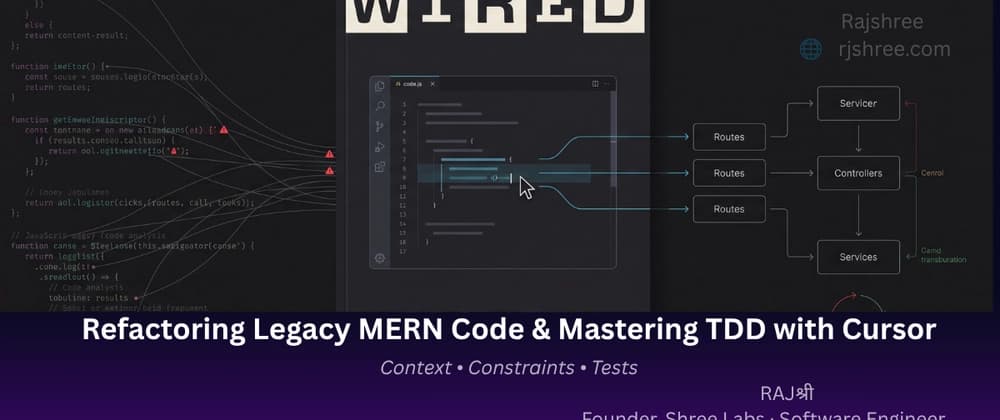
In real-world software engineering, AI isn't replacing developers. Instead, it is increasingly replacing the tedious, repetitive, and mechanical parts of development.
For full-stack JavaScript and MERN developers, the biggest bottleneck is rarely typing syntax.
The real time sinks are: Untangling legacy Express controllers Understanding unfamiliar codebases Writing comprehensive test suites Handling edge cases Maintaining architectural consistency Repeating boilerplate implementation patterns Refactoring code without breaking existing behavior
The goal isn't to let AI write your software. The goal is to make AI work inside your engineering process.
If you're simply asking AI to generate random boilerplate or "vibe code" entire files without guardrails, you're likely creating technical debt faster than you're creating features.
But when you combine AI tools like Cursor and Claude Code with clean architecture, explicit constraints, and rigorous testing, AI becomes something much more valuable:
This article walks through a practical AI-augmented workflow for modern JavaScript and Node.js development. Grounding Your AI: The Power of .cursorrules
Before asking an AI coding assistant to write or refactor code, you need to establish architectural boundaries.
Without enough context, an LLM may: Mix CommonJS and ES Modules Introduce inconsistent naming conventions Invent outdated Mongoose patterns Put business logic inside route handlers Create deeply nested conditionals Ignore the architecture already present in your codebase
In Cursor, one way to establish these expectations is through a .cursorrules file at the root of your project.
Think of it as a persistent set of engineering instructions for your AI coding environment.
The important part is giving your AI a consistent engineering context before asking it to make changes.
With these constraints in place, your AI-assisted refactors are much more likely to follow the architecture and conventions of your codebase. Practical Tutorial: Refactoring Legacy "God Functions"
A single route handler that is responsible for: Authentication Validation Database queries Business logic Payment processing Email notifications Error handling HTTP responses
These are sometimes called "God functions" because they know and do far too much.
Let's take a realistic example and refactor it into a cleaner, service-driven architecture using Cursor.
The route handler knows about: HTTP Users Orders Pricing Discounts Payments Emails Error formatting
In Cursor, you can use Inline Edit (Cmd + K on Mac / Ctrl + K on Windows) and provide a targeted prompt: