
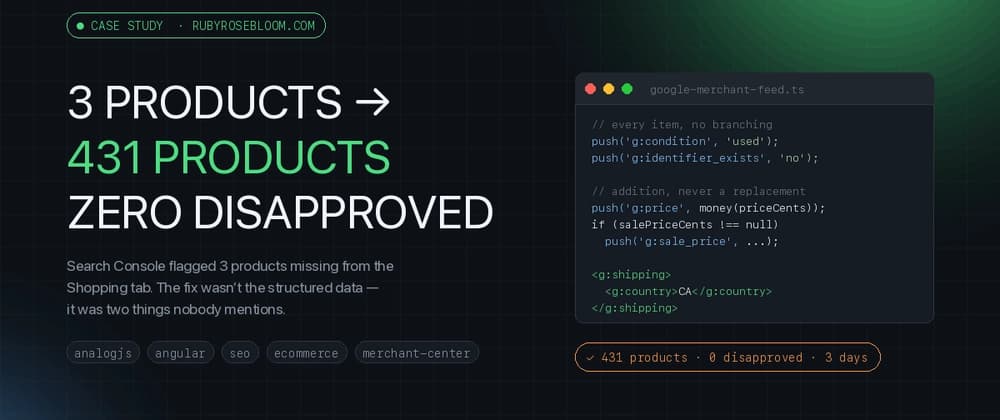
Ruby Rose Bloom sells one-of-a-kind vintage — a self-hosted storefront, no Shopify, no marketplace underneath it. Search Console's "Merchant opportunities" report told me 3 active products weren't showing up on the Shopping tab, and I went looking for the setting to fix. There wasn't one. What I actually found, three days of digging later, is that "get into Merchant Center" is not one thing — it's several different surfaces, each fed by a different mechanism, and the one everyone talks about (the Shopping tab) turned out to be the least interesting of them.
This post is the question I actually had, answered with screenshots taken today: I have a storefront. What does getting into Merchant Center buy me, and where do my products actually end up?
It also has an ending I didn't plan. After three days of feed fields and structured data I opened one Search Console report I'd been ignoring and found that Google had indexed 5 of my 436 pages — and, chasing that, that essentially none of my product photos were in the image index either. Those two sections are the most useful thing here, and they're the part I'd read first if I were you.
Before the surfaces: Merchant Center is not an ads product by default. There are two lanes.
Free listings are unpaid — you register a feed, Google reviews the items, approved items become eligible to appear in Shopping-related placements at no cost per click. This is the lane a small shop should care about first, because it costs nothing beyond the engineering time to feed it correctly.
Shopping ads are the paid lane on top — you attach a budget and the same feed becomes the input to a campaign. Ruby Rose Bloom is running free listings only; there is no ad spend anywhere in this post.
Free listings in Merchant Center: approved items, no ad spend, click potential still "available soon" on a three-day-old account.
Free listings is the whole story for this shop. Worth saying plainly since most "how to get on Google Shopping" content assumes you're buying ads: you don't have to.
"Merchant Center" isn't a single destination. Registering a feed there can make your products eligible for several different Google surfaces, and each one is driven by a different mechanism. Conflating them is the easiest way to misdiagnose why a product isn't showing up somewhere.
This is the surface that surprised me, because it doesn't need Merchant Center at all. A plain site:rubyrosebloom.com arcopal teacup search — ordinary blue-link Google, not the Shopping tab — returns the product page with price and "In stock" rendered directly in the snippet, plus a breadcrumb trail (Shop › drinkware).
Organic Search, not Shopping: price and availability rendered straight from the page's own Product JSON-LD.
That's the Product JSON-LD already on every product page — the same price, availability, itemCondition, shippingDetails, hasMerchantReturnPolicy block I assumed, at the start of all this, must be broken because the Shopping tab report was complaining. It isn't broken. It's driving a different surface, and it was doing that before the Merchant Center account existed at all. The distinction worth keeping straight: Product JSON-LD on the page can earn rich results in ordinary Search. Merchant Center product data can earn free listings across Shopping, Search, and Google's AI surfaces. Two overlapping paths, not two sealed lanes — they feed some of the same places, and either one buys you eligibility, never display. The Search Console report that started this whole investigation was only ever describing the first of them.
This is the surface the feed exists to reach — the Shopping tab, and the broader Shopping Graph that other Google surfaces draw from. It's also the surface with the sharpest gap between "submitted" and "found," which the next section covers.
This is the surface I didn't expect to have anything to say about, and it turned out to be the most important one.
I asked Google's AI Mode "where can I buy a vintage Arcopal France milk glass teacup set in Canada" — a generic query, not naming the shop. The answer is a short written recommendation plus a product-card rail on the right: Etsy Canada, eBay Canada, and Poshmark Canada. Ruby Rose Bloom, which stocks exactly this kind of item, is absent.
AI Mode's answer to a generic "where can I buy" query: Etsy, eBay, Poshmark. Not the shop.
Then I asked about a specific item the shop actually has listed: "Paragon Warranted Teacup and Saucer Golden Leaves on Green Celadon 1950s for sale." AI Mode returned "Current Marketplace Listings" citing Etsy sellers, complete with price ($75.65, struck through from $89), condition ("very good vintage condition, no chips, cracks, or crazing"), and availability. The shop's own Paragon listing — CA$144, approved in Merchant Center as of today — was not among the citations.
AI Mode citing a competing Etsy listing by price, discount, and condition — the exact fields a product feed standardises.