
You describe what you want, send the prompt, and a few moments later you have files, components, logic, and sometimes an entire working app.
Maybe the requirement is too vague. Maybe nobody mentioned how the feature should be verified. Maybe an existing behavior needs to stay intact. Maybe the change sounds small but has consequences that are easy to miss.
Nexpath doesn't try to be another coding environment where you build your project. It works as a prompt quality layer for AI-powered development, looking at the request you're about to send and adding guidance when it decides the task needs more structure or verification.
The idea is simple: keep the speed of AI coding, but add a checkpoint before an underspecified request turns into code.
I wanted to look at how that idea works in practice, what Nexpath adds to a coding workflow, what its browser extension offers for tools such as Replit, Lovable, and Bolt, and whether its benchmark results give the idea some evidence behind it.
Nexpath is a prompt quality layer designed to add structure and missing checks to AI-assisted development. It can work with browser-based coding tools, including Replit, Lovable, and Bolt, as well as Claude Code, Cursor, and Windsurf through its other integrations.
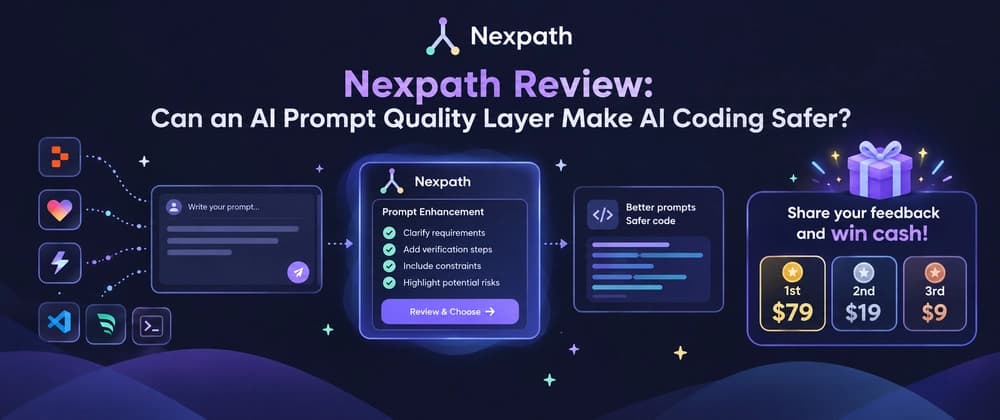
Its first major feature is Prompt Enhancement. It preserves the original request and adds relevant guidance when a task needs more rigor. Depending on the task, that guidance can include:
Acceptance expectations Verification steps Reproduction details Constraints Risk or confirmation guidance
You remain in control of the final prompt. The original request stays available, and you can review the suggested version before sending it.
Nexpath's published SWE-bench Verified test compared Claude Code with and without Nexpath across 40 tasks. Claude Code solved 27/40 tasks, while Claude Code + Nexpath solved 29/40.
That benchmark is worth looking at, but two additional solved tasks out of 40 aren't enough to prove a large improvement. Nexpath itself makes that limitation clear.
Nexpath is built around a local-first approach, with prompt history stored locally and targeted requests sent out when guidance needs to be generated.
You don't need to translate every idea into a detailed implementation plan before you start. You can describe the feature in normal language and let the coding tool figure out much of the implementation.
It also creates a new problem: the quality of the request can have a huge effect on the quality of the work that follows.
Should it search titles only? Should it be case-insensitive? Should results update while typing? What happens when there are no matches? Should existing filters continue working? What needs to be checked after the change?
A developer who has been working on the project for hours may know the answers to some of these questions without writing them down.
And in this case, Nexpath isn't trying to take control of development. It's trying to make the things that are easy to overlook clearer.
Its main feature, Prompt Enhancement, reviews the prompt you're preparing to send and adds development details that may be missing. The original intent stays intact, while the enhanced version can add structure around requirements, verification, constraints, safeguards, and other relevant checks.