
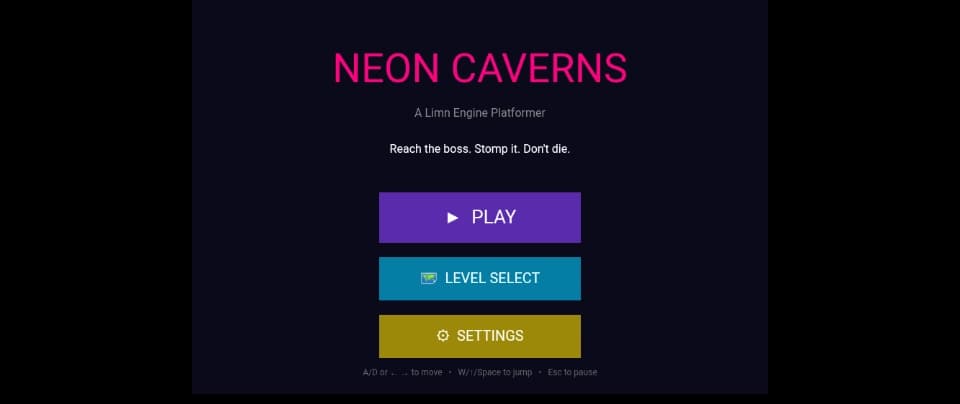
A neon-lit platformer with 3 levels, a boss fight, and a full scene system — built entirely in the browser with Limn Engine.
The game is live on the Limn Arcade and ready to play. Click the link, and you're in the main menu within seconds. No downloads, no installation, no sign-up required to play.
Source code is underway and will be released soon for anyone who wants to learn how it was built or modify it for their own projects.
Neon Caverns is a 2D platformer built with Limn Engine — a lightweight game engine that runs entirely in the browser. You play as a pink square navigating neon-lit caverns, dodging enemies, collecting coins, and fighting a boss at the end of each level.
The game was designed to be easy to pick up but hard to master. Three levels of increasing difficulty, a boss with multiple HP stages, and a full menu system with settings, pause, and level select — all in a single JavaScript file.
Here's what makes it interesting: 3 hand-designed levels — Caverns, Towers, and Boss Arena Intelligent enemies — they patrol, detect the player, chase, and return home A boss fight — with health, chase AI, and a hurt-flash effect Moving platforms — horizontal and vertical, with proper player carrying Full scene management — Menu, Game, Over, Win, Pause, Settings, Level Select Persistent settings — volume sliders saved to localStorage Touch + keyboard support — playable on phones and desktops Responsive canvas — scales to fit any screen
This article introduces the game, explains how it works, and shows you the key parts of the code — so you can see exactly how a complete Limn Engine platformer is structured.
| Action | Keyboard | Touch | |--------|----------|-------| | Move Left | A or ← | Left button | | Move Right | D or → | Right button | | Jump | W, ↑, or Space | Jump button | | Pause | Esc or P | II button (top right) |
Goal: Reach the boss at the end of the level, jump on its head to damage it, and defeat it to win. Collect coins for score. Avoid enemies and spikes.
Enemies: Red squares that patrol and chase you when they see you. Jump on their head to defeat them.
Boss: A larger red square with multiple HP. Stomp it repeatedly to win the level.
Lives: You have 3 hearts. Get hit by an enemy or spike and you lose one. Lose all three and it's game over.
Before we look at any code, let me explain the architecture of the game. Understanding the structure first makes the code much easier to follow.
Neon Caverns uses a scene system. A scene is a distinct screen or state of the game — like a menu, gameplay, or a game-over screen. Only one scene is active at a time, and the game switches between them in response to player actions.
Each scene is a number. The display.scene property tracks which scene is currently active, and only components assigned to that scene are drawn and updated. This is a core feature of Limn Engine — it lets you build complex games without destroying and recreating objects on every state change.
Here's what the game is built from. Each of these is a Limn Engine Component — a game object.
| Element | Type | Purpose | |---------|------|---------| | Player | Component | 28×40 pink square, moves with keyboard/touch | | Ground & walls | Component | Tiles from the level map — solid, collidable | | Spikes | Component | Tiles with ID 4 — damage on contact | | Coins | Component | 16×16 yellow squares, +10 score each | | Hearts | Tctxt | HUD hearts in the top-right corner | | PatrolEnemy | Custom class | Extends Component — patrols, detects, chases | | MovingPlatform | Custom class | Extends Component — sine-wave movement | | BossEnemy | Custom class | Extends Component — larger, more HP, chase AI | | HUD | Tctxt | Score, coins, and boss HP display | | Pause button | Component | Pinned to screen via .fixed() | | Menu buttons | Component + Tctxt | Each scene has its own buttons |
The game uses custom classes that extend the base Component class — a technique that lets you give each game object its own behaviour while still using the engine's built-in rendering and collision systems.