
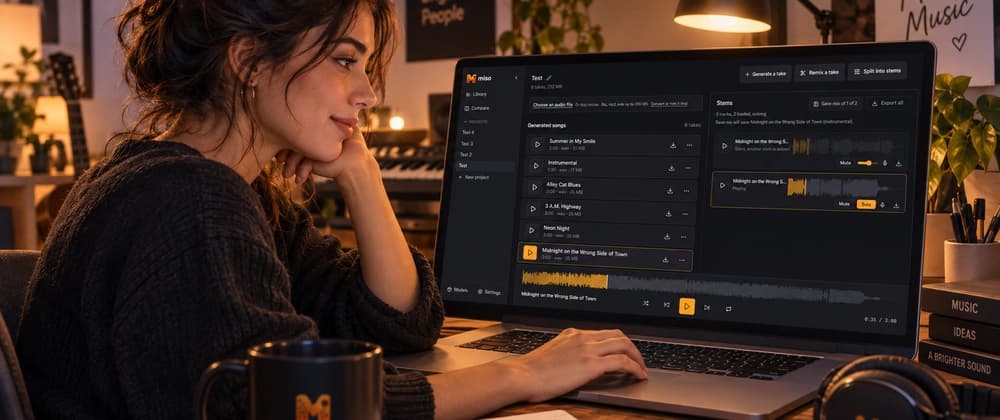
Then somewhere along the way I apparently decide, "Well, if I'm already doing this..."
And suddenly the tiny experiment has a database, Docker Compose stack, job queue, model manager, audio editor, waveform player, and enough GPU models to eat 40 GB of disk space.
Miso is a self-hosted local music generation and remix studio built on top of audio.cpp.
The original idea was pretty simple: I wanted a nice interface for experimenting with local music models without constantly dropping back to command-line tools, juggling generated files, or trying to remember which ridiculous combination of parameters made the song I actually liked.
That part is fun, but the thing I kept wanting was everything that comes after generation.
What if I want to turn something into MIDI and keep screwing with it somewhere else?
A project doesn't just hold the final song. It keeps the takes, prompts, lyrics, stems, scores, transcriptions, and the lineage between them, so I can experiment without losing track of how I got there.
Miso currently exposes several different music and audio model families through audio.cpp because they are good at very different things.
ACE-Step 1.5 is the main workhorse. It handles full song generation, covers, and repainting sections of existing tracks.
YuE2 can generate songs too, but it does something I find especially interesting: it plans an ABC music score first and can give that score back to you.
MiniMax Music 3 and HeartMuLa are alternate song generators with their own prompting styles.
Then there are separate models for stem separation, voice conversion, and audio-to-MIDI transcription.
ACE-Step wants style information in one place, BPM and key as separate parameters, and lyrics somewhere else.
So Miso has a guided builder that translates the same set of UI controls into whatever syntax the selected model actually expects.
I wanted to be able to think about "upbeat synthpop, female vocal, 120 BPM" instead of remembering which API field each model decided should contain "120 BPM."
You load a take, drag across part of its waveform, and replace only that section.
So instead of regenerating a whole song because one chorus went weird, you can select that section and try again.
ACE-Step's repaint route turned out to have some quirks that were interesting to figure out, too.