
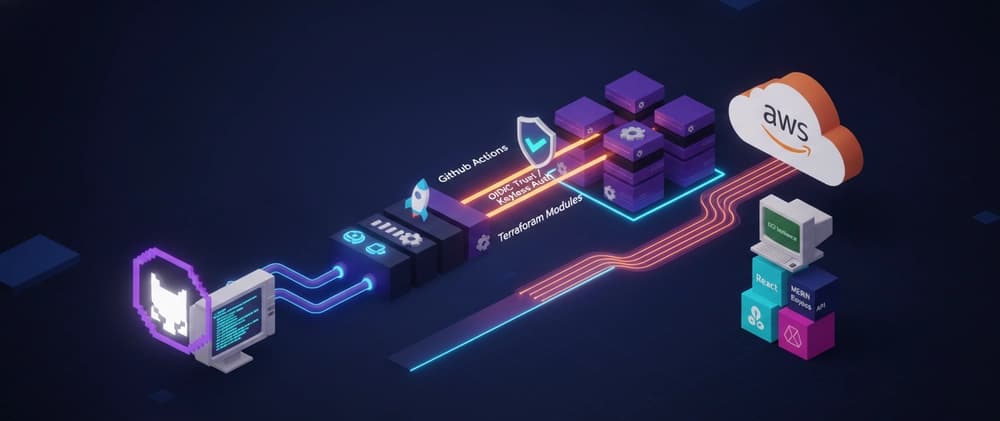
Deploying a full-stack web application into production is often one of the most daunting steps for modern developers. You build a complete application locally, but when it comes to hosting it securely on cloud infrastructure with HTTPS, custom domains, and automated deployment pipelines, things can quickly get overwhelming.
In this post, I will walk you through how I built and deployed an end-to-end full-stack MERN application ("Little List")—from the frontend user interface and Express REST API to provisioning production AWS cloud infrastructure with Terraform and automating deployments with Keyless GitHub Actions OIDC.
Whether you are a beginner looking to understand full-stack architecture & cloud deployment or an experienced engineer reviewing multi-environment Terraform design, this guide covers the entire end-to-end workflow!
"Little List" is a full-stack personal productivity and management application built from scratch: React SPA Frontend (Vite): Modern, responsive UI with state management, JWT auth flows, interactive diary logging, and custom URL shortener interfaces. Node.js & Express API Backend: Modular REST API with secure authentication, refresh tokens, MongoDB integration, and route validation. MongoDB Database: Persistent storage for users, diary entries, and shortened link analytics.
Before diving in, here is what you will need if you want to replicate this deployment architecture: AWS Account: An active AWS account with permissions to manage EC2, S3, CloudFront, ECR, IAM, and Route 53. Terraform CLI: Installed on your machine (>= 1.16.2). AWS CLI: Installed and configured with your credentials (aws configure). Docker: Installed locally for testing container builds. Node.js & npm: Installed locally for building the frontend. GitHub Account: A repository containing your MERN codebase. Custom Domain (Optional): A domain registered on Namecheap, GoDaddy, or Route 53 if you want custom SSL support (e.g., ideategudy.tech).
Before writing code, let us look at the high-level architecture diagram of what we are provisioning on AWS:
Core Components Explained for Beginners: Amazon S3: Hosts the static, compiled single-page React frontend (dist/ build files) privately. Amazon CloudFront: A global Content Delivery Network (CDN) that serves the React app over HTTPS and acts as a single reverse proxy for both client and backend requests. Amazon ECR (Elastic Container Registry): Private Docker image registry to store backend container builds. AWS ALB (Application Load Balancer): Receives API traffic from CloudFront and balances requests across EC2 instances. AWS Auto Scaling Group (ASG): Manages an auto-healing fleet of EC2 instances running Canonical Ubuntu 24.04 LTS and Docker. GitHub OIDC (OpenID Connect): Allows GitHub Actions to obtain short-lived security tokens to deploy to AWS without storing permanent AWS Secret Access Keys in GitHub.
🧱 Key Technical Deep Dives Unified Single-Domain Routing with CloudFront One common challenge with SPA + API setups is CORS and handling multiple URLs (api.domain.com vs domain.com). We solved this by serving both frontend and backend under the exact same domain (https://dev.ideategudy.tech) via CloudFront Path-Based Routing:
| Request Path Pattern | Origin Target | Description | |---|---|---| | / or /assets/ | s3-frontend | Serves static React SPA files | | /api/, /s/, /healthz | alb-api | Forwards API requests directly to the EC2/Express backend |
💡 Pro-Tip: When forwarding requests through CloudFront to an ALB, ensure your CloudFront cache behavior explicitly forwards the Authorization, Accept, Content-Type, Origin, and Referer headers! Otherwise, CloudFront strips the Authorization: Bearer header by default, leading to 401 Unauthorized errors on authenticated routes. Zero Secrets in GitHub via AWS OIDC Instead of creating long-lived IAM user keys (AWSACCESSKEYID and AWSSECRETACCESSKEY) and pasting them into GitHub Secrets, we configured an AWS IAM OIDC Identity Provider.
GitHub Actions assumes a temporal AWS IAM Role dynamically per pipeline run using OpenID Connect authentication. If your pipeline is compromised, there are no static credentials to leak!
Primary infrastructure resources (VPC, EC2, ASG, ALB, ECR, S3) are deployed in eu-north-1 (Stockholm). HTTPS is terminated at the CloudFront CDN level using AWS Certificate Manager (ACM) in us-east-1 (required by CloudFront for global edge distributions).
Instead of pointing the root/apex domain (ideategudy.tech) directly to this environment, we configured a dedicated subdomain (dev.ideategudy.tech) for several key reasons: Environment Isolation (dev vs prod): Using subdomains allows us to run isolated development (dev.ideategudy.tech) and production (ideategudy.tech or app.ideategudy.tech) infrastructure in separate Terraform workspaces without DNS conflicts. Subdomain NS Delegation in Namecheap: By adding custom NS records for dev.ideategudy.tech in Namecheap, we delegate only the dev subdomain DNS resolution to AWS Route 53 while keeping the parent apex domain (ideategudy.tech) managed at Namecheap. Multi-Environment Testing: It enables continuous testing of AWS infrastructure changes (CloudFront, ALB, ASG) on a real HTTPS domain without risking downtime for main production domain traffic.
Connecting Namecheap Subdomain (dev.ideategudy.tech) to AWS: In infra/dev.tfvars: Run terraform apply --var-file="dev.tfvars". Copy the 4 output nameservers from Terraform: Log into Namecheap -> Domain List -> Manage ideategudy.tech -> Advanced DNS -> Add 4 NS Records for Host dev pointing to the Route 53 Nameservers.
Figure: Configured NS records in Namecheap delegating dev.ideategudy.tech to AWS Route 53. In minutes, free auto-renewing SSL is active across https://dev.ideategudy.tech!
When code is pushed to main, GitHub Actions triggers .github/workflows/deploy.yml which executes two parallel jobs:
💡 Note for Beginners: You do not need to manually build the React frontend or Docker container on your local computer before pushing. GitHub Actions automatically compiles the React production bundle and builds/pushes the Docker image in the cloud during the pipeline run! deploy-frontend: Builds Vite/React bundle. Authenticates keylessly to AWS via OIDC. Syncs static assets to the private S3 bucket (aws s3 sync). Invalidates CloudFront edge cache (aws cloudfront create-invalidation). deploy-backend: Builds Docker image for Express API. Authenticates to Amazon ECR via OIDC. Pushes new Docker tag to ECR. Syncs runtime application secrets into AWS SSM Parameter Store (/mern-deploy/dev/...). Executes zero-downtime container updates across EC2 ASG instances via AWS SSM RunShellScript.
Figure 1: Successful terraform apply showing outputs for S3, CloudFront, ECR, and ALB.