
In 2026, our browser tabs can execute C++ via WebAssembly at near-native speed, run local LLMs with WebGPU, and render complex 3D worlds. Yet, whenever an engineer needs to merge two PDF pages, add a protective watermark, or compress a document under 2MB, the entire industry still defaults to an absurd workflow: uploading your confidential multi-megabyte documents to an unknown cloud server.
A while ago, our team was preparing credentials and compliance materials for an enterprise bidding tender (RFP). Like at most companies, IT didn't hand out expensive $25/month Adobe Acrobat licenses to every team member.
The bidding portal had a strict file-size limit. Our task was straightforward: assemble team resumes, certificates, and ID scans, stamp protective watermarks across every page ("CONFIDENTIAL – FOR TENDER USE ONLY" to prevent unauthorized reuse of personal materials), and compress the entire bundle.
The easy shortcut that many take — casually uploading sensitive documents to "free online converters" — was completely off the table due to our corporate confidentiality policies and basic data-privacy common sense.
Yet when trying to simply merge, watermark, and compress these files, I found myself trapped between two equally frustrating extremes: The "Free" Online Converters: Sleek Web2 SaaS tools that promise a "free 1-click conversion." But look under the hood: your sensitive documents are staged on remote cloud disks, processed by third-party clusters, and on your second file, you're hit with an aggressive $10/month recurring subscription paywall. The Self-Hosted Giants: Running existing open-source solutions like Stirling-PDF. While feature-complete, they are heavy backend monoliths requiring a 1–2 GB RAM Java/LibreOffice container. Why should stitching two vector pages consume more server memory than my database, API, and blog combined?
If a PDF is essentially just an object graph of cross-reference tables, font dictionaries, and stream blobs, why on earth do we still need a backend server to manipulate it in 2026?
We don't need remote servers. We don't need to hand our confidential files to third parties. And we don't need a 2GB Java container just to rotate a page or stamp a watermark.
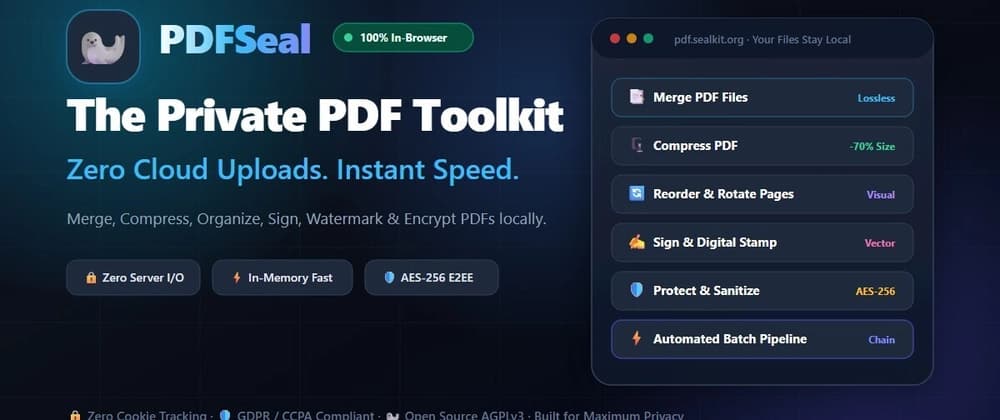
Here is the technical story of how I built PDFSeal — an open-source (AGPL-3.0), zero-backend PDF suite where every operation executes strictly inside browser RAM, paired with an offline-first PWA architecture and visual batch pipelines.
Manipulating PDFs directly in JavaScript is notoriously tricky because PDF is not a continuous document format like HTML or DOCX; it is an object graph composed of dictionaries, cross-reference tables (XRefs), font descriptors, content streams, and embedded raster blobs.
To accomplish this purely in the browser without freezing the UI, PDFSeal divides labor between two foundational libraries: pdf.js (Mozilla): Handles read-only parsing, visual thumbnail generation, high-DPI canvas rasterization, and PDF-to-Image export. pdf-lib: Handles structural mutations — merging document trees, rearranging pages, rewriting XRef tables, injecting canvas watermarks, and modifying encryption dictionaries. Web Crypto API: Handles native client-side cryptography (SHA-256 for local vault deduplication and tamper-proof client-side verification).
Because there is literally no backend API, deployment is trivial: the entire app is built into static assets (dist/) served over an edge CDN or a lightweight Nginx Docker container.
Building a client-only utility sounds simple until you hit browser memory caps, strict cryptographic specs, and quirky PDF edge-cases. Here are the 5 hardest problems we tackled: Intelligent Compression: Bytecode Inspection & Bisection Size Convergence
Compressing PDFs purely in the browser without turning crisp text into blurry artifacts is notoriously tricky. Naive client-side tools either compress too little, destroy vector text quality, or even increase file size.
PDFSeal solves this through a 3-stage adaptive compression engine: Bytecode Operator Inspection: We parse the PDF's internal instruction stream via page.getOperatorList(). By calculating the ratio of image drawing opcodes (paintImageXObject) against character text streams, the engine distinguishes between Vector Documents and Scanned Documents with high confidence. For vector-heavy documents, we skip lossy rasterization entirely and execute Lossless Structural Optimization: repacking objects into compressed /ObjStm object streams, removing dead cross-reference keys, and stripping orphan catalog entries. Dynamic Target-Size Bisection Search: When users configure a specific target file size (e.g., hitting an exact 2MB portal cap for bidding submissions or visa applications), how do you find the optimal resolution and JPEG quality without freezing the tab? Instead of repeatedly re-rendering dozens of pages, we probe a 5-point representative sample across the document. We execute a 6-iteration Bisection Search paired with Target-Weighted Secant Interpolation to mathematically converge toward the exact byte ceiling. This maximizes visual clarity and DPI right up to the user's target threshold without exceeding it. Universal Anti-Inflation Size Guard: Before outputting the final blob, we verify byte length against the original:
This guarantees that PDFSeal will never output a file larger than what you started with. Client-Side PDF Cryptography & 32-Bit Permissions Bitmasks
Most web applications rely on server-side libraries (like Java iText or Python PyMuPDF) to encrypt documents and enforce permissions. Implementing standard PDF encryption in pure browser JavaScript required navigating the intricacies of the ISO 32000 specification: Dual-Tier Password Architecture: Implementing both the User Password (required to open and decrypt the document) and the Owner Password (required to modify permissions). Computing 32-Bit Permission Bitmasks: Standard PDF security encodes restrictions as a 32-bit signed integer flag in the /P dictionary entry. We compute bitwise masks to selectively lock down: Printing restrictions (bit 3 for low-res, bit 12 for high-res) Content copying and text extraction restrictions (bit 5) Document modification, form filling, and annotations (bits 4, 9, 11) Pure Client Crypt Filters: Using SubtleCrypto and pdf-lib, we compute hash chains and apply standard AES-256 cipher blocks to the document's content streams, producing enterprise-grade encrypted PDFs that open natively in Adobe Acrobat, Apple Preview, and mobile viewers without a single byte ever touching a remote server. High-DPI PDF to Image without Tab Crashes
Rendering a 50-page document into 300 DPI images (scale = 300 / 72 ≈ 4.167) creates immense memory pressure. A single A4 page rendered at 300 DPI produces an internal canvas buffer of roughly 2480 × 3508 × 4 bytes (~35 MB) of uncompressed raw pixel data in browser RAM.
If you attempt to batch-render 20 pages concurrently, mobile browsers and Safari will instantly crash the web worker or tab due to out-of-memory limits.