
If you've watched a coding agent quietly read your documentation, run a command based on what it found there, and never once render the page in a browser, you've seen the audience this post is about. Nobody clicked a link. Nobody looked at your carefully designed nav bar. An agent fetched a URL, parsed it, and acted.
In January 2025, we made a small change to Expo documentation that turned out to matter more than we expected at the time: we added support for a curated text file served publicly, called llms.txt. Back then, adding llms.txt to a site was a fringe proposal. Now we know it helps AI agents fetch content and search through documentation while doing a task.
Everything since that pull request has been us reacting to a new kind of reader: AI coding assistants and agents that write code, run tests, search documentation, and pick the right method or library for the job. In short: agents are now building a good chunk of the React Native and Expo apps out there. This post walks through the practices we've put in place on Expo docs to make that work reliably.
Answer Engine Optimization (AEO) gets thrown around loosely, so it's worth being precise about it before any of the practices below make sense. An answer engine is a system that answers a question directly: ChatGPT, Claude, Perplexity, Google's AI Overviews, or a coding agent running in your terminal. AEO is about shaping your content so these systems can retrieve it and reproduce it correctly.
The end user is still a human, either automating a task or triggering it through a coding agent. But your documentation reaches them through two very different paths, and which path an agent takes changes how it responds.
The text an LLM absorbed during training is frozen, unattributed, and impossible to correct after the fact. That's the training path, and as a technical writer or docs engineer you have zero control over it.
The path most AI harnesses prefer instead is fetching live pages: the retrieval path. An agent runs something equivalent to curl against a URL, reads what comes back, and answers based on that. Nearly every practice in this post targets the retrieval path, because it's the one you can actually influence.
A published page usually gets visited by a person, either directly or through a search result. Search engines rank pages, and the practices that influence that ranking are SEO.
AEO has no click in the loop. Someone asks their agent about generating native directories in a CNG project, the agent reads docs.expo.dev, and either answers directly or runs npx expo prebuild. Nobody, human or agent, ever opened the docs page in a browser. That's the difference: you're not optimizing for rank anymore, you're optimizing for whether an agent can find the right page or the right answer at all.
Documentation sites hit this harder than general web content: Correctness is binary. A code sample an agent reproduces imperfectly doesn't compile. There's no partial credit. The visitor often isn't a person. An agent fetches a page, acts on it, and never renders it. Nobody's around to notice an ambiguous page structure. Versioning gets messy. Multiple live versions of a doc make it hard for an agent to land on the one that actually answers the question. You might already be halfway there. Docs tend to be structured, factual, and consistent by nature. That said, verify it, don't assume it.
llms.txt is a convention from Jeremy Howard's team at Answer.AI: a Markdown index with the title, link, and optional description of each page you want an agent to find.
An agent has a limited context budget, and every page it fetches spends part of it. An llms.txt file lets it navigate straight to the right page instead of burning that budget figuring out your nav structure.
Expo docs is huge, and our generated llms.txt sits around 52.8 KB (roughly 54,000 characters). A rule of thumb we'd pass on: keep it under 100,000 characters or it stops being useful to an agent. More on how we check this in practice 10. Serve Markdown versions of your docs, more than one way
An agent fetching an HTML page pays a token cost for styles and scripts it has no use for. A Markdown version carries the same headings, structure, and text without the overhead.
Expo docs runs on a custom Next.js build that serves JSON data files for SDK pages dynamically, so we built our own pipeline to generate a Markdown version of each page, served by appending .md to the URL.
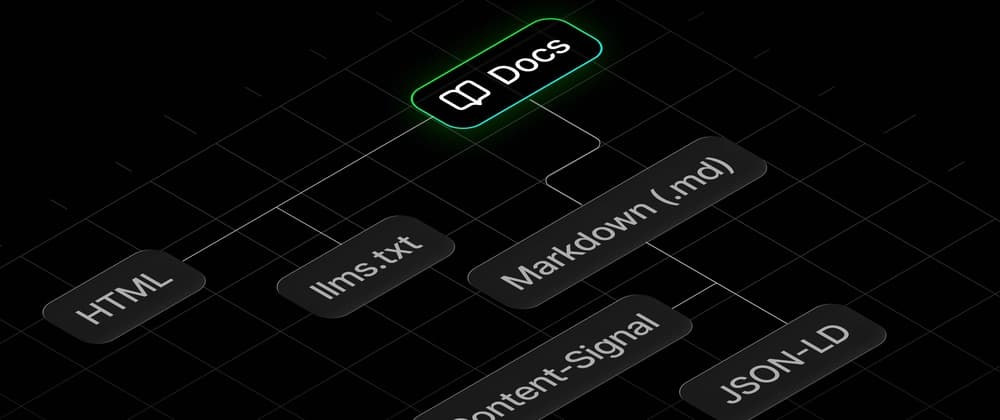
There's no single convention for how an agent asks for plain text, so we serve it three ways: Content negotiation on the Accept header An .md suffix on any docs URL A hint in the HTML
Our edge worker inspects the Accept header, and if a client asks for Markdown, it serves the sibling .md file instead of HTML:
The last method is a discovery hint in the HTML via a tag, useful for crawlers that already have the page and want a cheaper version: Convert custom components to Markdown, not source